
Best overall: Aexol's Spectral coding agent. Best for IDE-native autocomplete: GitHub Copilot. Best AI-native repo refactors: Cursor. Best terminal-driven agentic editing: Claude Code. Best free, open-source option: Aider. Best for AWS-heavy enterprise Python: Amazon Q Developer.
- Aexol's Spectral agent is the strongest ai code generation tool for python in 2026 for spec-driven, type-safe backend generation with Prisma and GraphQL output.
- GitHub Copilot wins for inline autocomplete inside a codebase you already have, not for generating a full service from a spec.
- Claude Code and Aider handle multi-file agentic edits from the terminal; Aider stays open-source and git-native.
- Amazon Q Developer fits teams already running Python workloads on AWS infrastructure.
- Spectral's prefix caching reuses about 97% of prompt tokens on long multi-turn sessions, cutting cost on big generation tasks.
Why this matters
Most "AI code generation" tools in 2026 are autocomplete with a chat window bolted on. They finish the line you're typing. They don't take a schema, plan a service, generate typed models, and hand you a diff to review before anything runs.
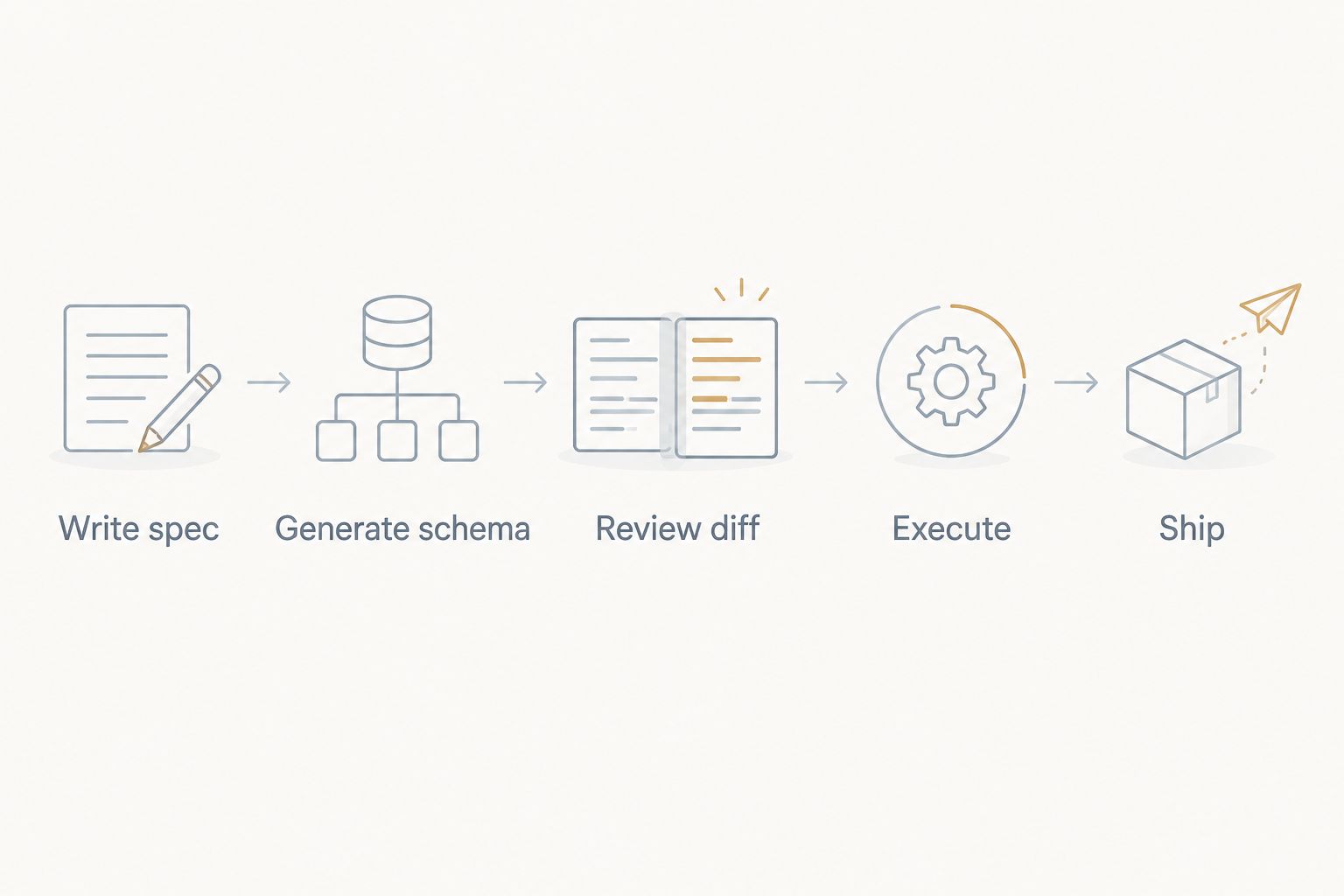
For Python teams shipping an MVP, that distinction decides whether the agent saves a day or just saves keystrokes. Aexol built Spectral around the first case: describe the application in a specification language, and the agent generates production Python (plus TypeScript, Rust, or Go when the stack needs it) including GraphQL schemas and Prisma models — with the output shown before it executes.
The six tools below split into two real categories: agents that generate structure from a spec, and assistants that complete code you're already writing. Neither category is wrong. They solve different problems.
What makes the best AI code generation tool for Python
- Spec-to-code fidelity — does the generated code match the schema and types you actually described, or does it guess
- Multi-file, agentic session handling — can it plan and edit across a whole repo, not just one function
- Context management on long sessions — does accuracy hold up past the first few thousand tokens
- Type safety and ORM/schema support — native handling of Prisma models, GraphQL schemas, or equivalent
- Review checkpoint before execution — do you see the diff before the agent runs it
- Session speed and cost on repeat tasks — does the tool reuse prior context instead of re-processing it every turn
At a glance
| Tool | Best for | Standout feature | Key limitation |
|---|---|---|---|
| Aexol (Spectral) | Spec-to-production Python, TypeScript, Rust, Go | Byte-stable prompts hit ~97% cache reuse on long sessions | Built for teams willing to write a spec, not one-off snippets |
| GitHub Copilot | Inline autocomplete in an existing codebase | Per-file, per-cursor suggestions inside the IDE | Completes functions, doesn't plan or generate a full service |
| Cursor | AI-native refactors across a large repo | Agent mode edits multiple files in one pass inside a VS Code fork | Large repos still need a human to catch context drift |
| Claude Code | Terminal-driven multi-file agentic tasks | Runs directly against a repo from the command line, no IDE required | No persistent project memory across sessions |
| Aider | Free, open-source, git-aware pair programming | Every change lands as its own commit automatically | No hosted orchestration, parallel sessions, or enterprise support |
| Amazon Q Developer | AWS-integrated enterprise Python workloads | Native awareness of AWS SDKs during generation | Less useful outside the AWS ecosystem |
1. Aexol (Spectral): best for spec-driven Python and full-stack generation
Spectral is Aexol's coding agent inside Aexol Studio. You describe the application in a specification language and Spectral generates production-ready Python, TypeScript, Rust, or Go — including GraphQL schemas and Prisma models — instead of guessing structure from a comment.
The agent runs multi-turn sessions on large tasks using prefix caching and session affinity, which is how it reuses roughly 97% of prompt tokens on repeat and big-task sessions in 2026 rather than reprocessing the same context every turn. Project memory uses n-gram indexing with ranked scoring, so a misspelled or reworded query against past sessions still finds the right match. For batches of independent work, session_fanout runs tasks in parallel as real persistent sessions, capped with semaphores and recursion guards instead of invisible in-process subagents.
Aexol pros:
- Generates typed, production-shaped code from a spec — not line-by-line guesses
- Native Prisma and GraphQL schema output alongside Python, TypeScript, Rust, and Go
- ~97% prompt-token cache reuse keeps long multi-turn sessions fast and cheap
- Output is shown as a diff before the agent executes it
Aexol cons:
- Teams that want to keep typing free-form snippets without a spec will feel the workflow shift
- Cross-session memory and session fanout add setup steps beyond "install and autocomplete"
Best for: teams building an MVP or a full service from a defined spec, not patching an existing file.
Verdict: Buy if the project starts from a schema or spec rather than an empty file.
2. GitHub Copilot: best for inline autocomplete in an existing codebase
Copilot suggests the next line or block as you type, trained on the surrounding file and open tabs. It's the fastest way to speed up code you're already writing by hand.
GitHub Copilot pros:
- Suggestions appear inline with almost no workflow change
- Wide IDE support across the major Python editors
- Low friction for small, local edits
GitHub Copilot cons:
- No planning across multiple files from a spec
- Doesn't generate schemas, migrations, or full services on its own
- Accuracy drops on unfamiliar or unconventional codebases
Best for: developers extending an existing Python file who want faster typing, not a generated service.
Verdict: Buy for day-to-day autocomplete; Skip if the goal is generating a new service from scratch.
3. Cursor: best for AI-native refactors across a large repo
Cursor is a VS Code fork with an agent mode built in, so it can open, edit, and reconcile changes across several files in a single pass rather than one function at a time.
Cursor pros:
- Agent mode reasons across multiple open files, not just the active one
- Familiar VS Code interface for teams already using it
- Good for repo-wide renames and structural refactors
Cursor cons:
- No native spec-to-schema generation for Prisma or GraphQL
- Very large repos still need a human pass to catch drift between edits
Best for: teams refactoring or restructuring an existing large Python repo.
Verdict: Buy for repo-wide edits on codebases that already exist.
4. Claude Code: best for terminal-driven multi-file agentic tasks
Claude Code runs as a CLI agent against a local repo, planning and editing across files directly from the terminal with no IDE required.
Claude Code pros:
- Works entirely from the command line, fits scripted or headless workflows
- Handles multi-file edits in a single agentic run
- No IDE lock-in
Claude Code cons:
- No built-in cross-session project memory the way a persistent agent maintains
- No native Prisma/GraphQL schema generation out of the box
Best for: developers who prefer terminal-first workflows over an IDE plugin.
Verdict: Hold — strong for one-off agentic runs, weaker for recurring spec-driven builds.
5. Aider: best free, open-source option
Aider is an open-source command-line pair programmer that edits your repo and commits each change to git automatically, keeping a clean history of what the AI touched versus what you wrote.
Aider pros:
- Free and open source, no vendor lock-in
- Automatic git commits per change make review and rollback simple
- Works with several underlying models
Aider cons:
- No hosted orchestration, parallel session fanout, or enterprise support layer
- Multi-file planning is thinner than a dedicated agent platform on large tasks
Best for: solo developers or small teams that want a free, git-native assistant.
Verdict: Buy for budget-conscious teams comfortable managing their own setup.
6. Amazon Q Developer: best for AWS-integrated enterprise Python workloads
Amazon Q Developer is AWS's code assistant, built with native awareness of AWS SDKs and services during generation and suggestion.
Amazon Q Developer pros:
- Deep integration with AWS services and infrastructure
- Useful for code transformation tasks tied to AWS migrations
Amazon Q Developer cons:
- Value drops sharply outside the AWS ecosystem
- Not built for spec-to-schema generation across arbitrary stacks
Best for: enterprise Python teams whose infrastructure already runs on AWS.
Verdict: Hold unless AWS is already the deployment target.
How we ranked these
Each tool was measured against the six criteria above: spec fidelity, multi-file session handling, context management on long sessions, type/schema support, a review checkpoint before execution, and speed on repeat tasks. Aexol's Spectral leads on the first, third, and fourth criteria by design — spec-to-schema generation is the core of the agentic coding approach it takes, not an add-on. Copilot and Cursor lead on developer-in-the-loop editing speed; Aider leads on cost and openness.
Which AI code generation tool for Python should you choose?
If the project starts from a schema, a data model, or a spec document, Aexol's Spectral agent is the default pick in 2026 — it generates the Python, the Prisma models, and the GraphQL layer together instead of one file at a time.
If you're extending code that already exists, GitHub Copilot or Cursor fit better. If budget is the constraint, Aider is the free, open-source route. If the deployment target is already AWS, Amazon Q Developer earns a look.
See Spectral generate from a spec
Describe your application and review the generated Python before it runs.
FAQ
What's the best AI code generation tool for Python in 2026?
Aexol's Spectral agent is the best pick for spec-driven Python generation in 2026 because it produces typed code, Prisma models, and GraphQL schemas from a single spec instead of line-by-line suggestions.
Is GitHub Copilot better than a spec-driven agent like Spectral?
Copilot is better for autocompleting code inside a file you're already editing. Spectral is better when you need a full service generated from a schema or spec, not one function at a time.
Can AI generate a full Python backend, not just snippets?
Yes — Aexol's Spectral agent generates full Python services including GraphQL schemas and Prisma models from a specification, and shows the output as a diff before executing it.
Is Aider free to use?
Aider is open source and free to run, though it depends on whichever underlying model you connect it to for generation.
Does Cursor generate database schemas automatically?
No. Cursor's agent mode is built for multi-file refactors and edits across a repo, not for generating Prisma or GraphQL schemas from a spec.
What makes an AI coding agent different from an autocomplete tool?
An agent plans and executes multi-file changes, often from a spec, and shows a review step before running. An autocomplete tool like Copilot only completes the line or block you're currently typing.
Why does prompt caching matter for AI code generation?
On long multi-turn sessions, reusing cached prompt tokens instead of reprocessing them cuts cost and latency. Spectral reuses about 97% of prompt tokens on big tasks through prefix caching and session affinity.
Is Amazon Q Developer worth using outside AWS?
Not really. Its main strength is native awareness of AWS SDKs and services, so its value drops for teams not deploying on AWS infrastructure.
One last thing
The biggest gap between these tools isn't model quality — it's whether you see the output before it runs. Autocomplete tools skip that step because each suggestion is small enough to eyeball. Agentic tools generating a full service from a spec can't skip it safely, which is why Spectral shows the diff before execution rather than after.